You sized your infrastructure for Black Friday once, and you have been paying for that decision every month since. Or the reverse: you sized for the average day, and every traffic spike turns your database into a bottleneck while your on-call team scrambles to add capacity. Either way, you are paying for the mismatch, either in idle compute or in lost revenue.
The good news is that this is a solved problem, and the pattern has a name: hybrid cloud architecture. Run the workloads that never change on hardware you own or lease at a flat rate. Run the workloads that swing on cloud VMs you can spin up in a minute and destroy just as fast. Industry analysis going into 2026 shows more organizations settling on exactly this split, driven by cloud repatriation trends and the rising cost of keeping steady workloads on pay-as-you-go infrastructure (source).
Key takeaways:
- Hybrid cloud architecture means flat-utilization workloads run on bare metal, spiky workloads run on elastic cloud VMs.
- Bare metal buys performance predictability (no hypervisor tax, no noisy neighbors); cloud VMs buy elasticity at an hourly premium.
- The private network link, shared load balancer pools, and cross-environment state replication are where hybrid designs succeed or fail.
- For steady 24/7 workloads, dedicated bare metal often costs less than half of an equivalent always-on public cloud instance.
- Design for link failure from day one: each side must stay independently functional.
This guide walks through how to actually build that architecture: which workloads go where, how to connect the two environments, how to model the costs, and how to keep your SLAs intact when a node on either side fails.
Table of Contents
- What Is a Hybrid Cloud Architecture (and Why It's the Default in 2026)?
- The Core Trade-Off: Performance Predictability vs. Elastic Flexibility
- Which Workloads Belong on Bare Metal, and Which Belong on Cloud VMs
- How to Design the Network Layer Between Bare-Metal and Cloud Nodes
- Cost Modeling: When Steady-State Bare Metal Beats Pay-As-You-Go Cloud
- Failover and Redundancy: Keeping SLAs Intact Across Both Environments
- Step-by-Step Migration Plan: Moving Your First Workload to a Hybrid Setup
- Choosing the Right Infrastructure Partner for a Hybrid Strategy
- Conclusion: Put Flat Workloads on Metal, Spikes on Cloud VMs
What Is a Hybrid Cloud Architecture (and Why It's the Default in 2026)?
A hybrid cloud architecture combines two (or more) infrastructure models under a single operational fabric. In the pattern this article focuses on, that means:
- Bare metal servers for your baseline, steady-state load: databases, core APIs, message queues, batch processing, anything that runs at a consistent utilization level 24/7.
- Cloud VMs for the variable part: traffic bursts, seasonal campaigns, CI/CD fleets, analytics jobs, new environments that exist for hours or days.
The reason this became the default is simple economics meeting simple physics. Bare metal gives you dedicated physical hardware: no hypervisor tax, no noisy neighbors, full access to every core and every byte of RAM you are paying for. Cloud VMs give you elasticity: capacity that appears in 60 seconds and disappears from your bill just as fast. Neither model wins on its own. A pure bare-metal shop over-provisions for peak. A pure cloud shop pays hyperscaler margins on every steady-state CPU hour, all year long.
There is also a control dimension. Single-tenant dedicated hardware gives you clear isolation boundaries, which matters for regulated workloads and for anything where a neighbor's activity could affect your latency. We covered the isolation trade-offs in depth in our comparison of multi-tenant cloud vs. single-tenant bare metal, and that logic applies directly here.
The Core Trade-Off: Performance Predictability vs. Elastic Flexibility
Every placement decision in a hybrid architecture comes down to one question: do you need the performance to be predictable, or the capacity to be elastic?
Bare metal buys predictability. A dedicated physical server delivers the same p99 latency on Tuesday afternoon as it did at 3 a.m. on a Sunday. There is no hypervisor contention, no steal time, no neighbor spinning up a batch job on the same host. For databases, this is the difference between consistent query times and mystery spikes. For GPU and HPC work, it is the difference between using the card and sharing it. This is a big part of why bare metal has been gaining popularity again after a decade of everyone assuming cloud had won (source).
Cloud VMs buy elasticity. When your traffic triples for six hours, you do not want hardware that was sized for that peak sitting idle the other 18. You want VMs that scale out at the first alarm and scale back in when the storm passes. The cost of that flexibility is a per-hour premium and, on most public clouds, meaningful egress fees.
The mistake teams make is treating this as an ideological choice. It is not. It is a per-workload decision, and the next section gives you the decision criteria.
Which Workloads Belong on Bare Metal, and Which Belong on Cloud VMs
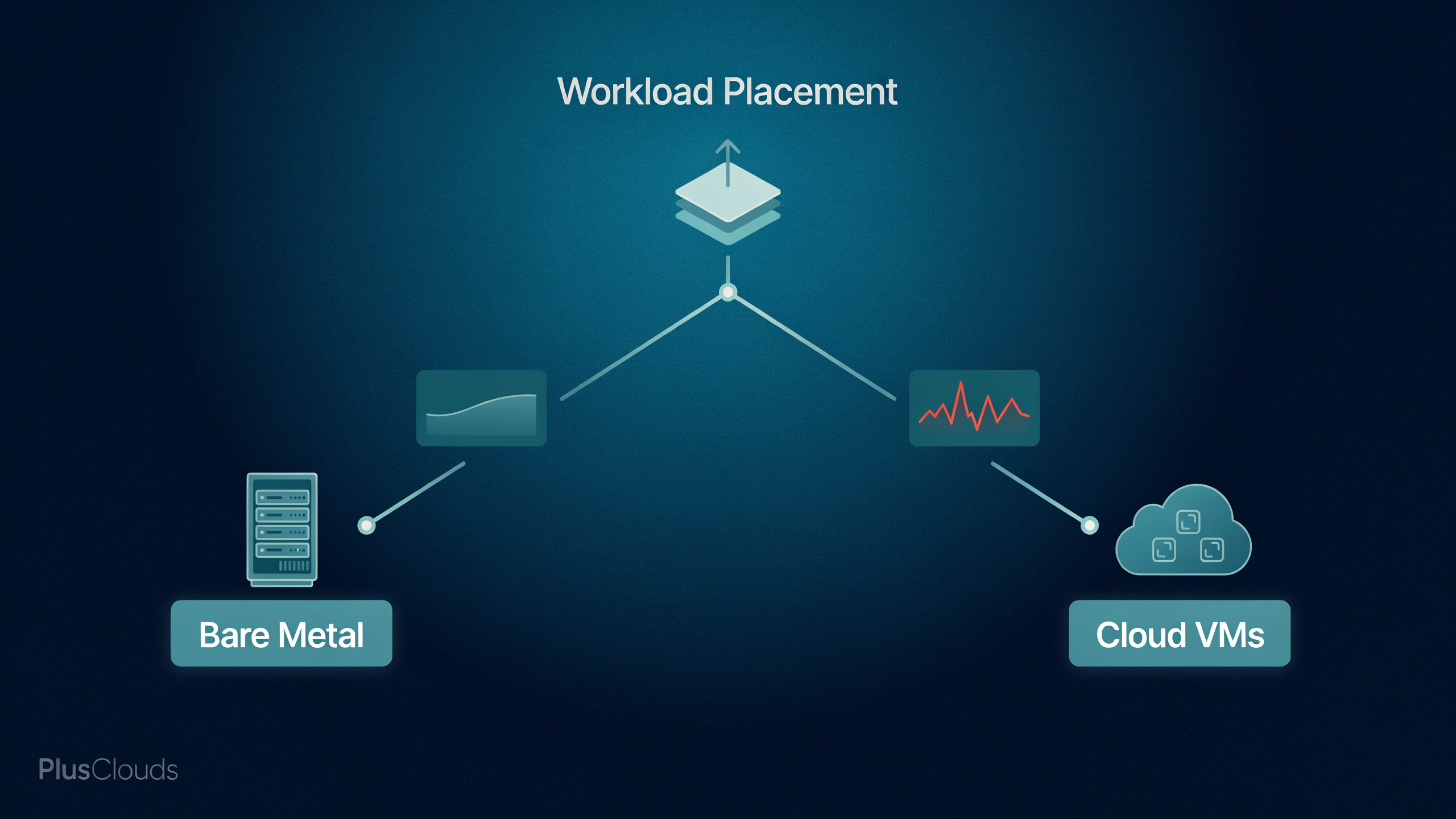
Here is the split we recommend to teams designing this from scratch:
Run on bare metal:
- Databases and stateful stores. PostgreSQL, MySQL, Kafka, Elasticsearch. These workloads are latency-sensitive, cache-heavy, and hate noisy neighbors. They also run 24/7, so pay-as-you-go pricing is the worst possible fit.
- Core application services with steady traffic. Your main API tier, authentication services, and anything serving a consistent baseline load.
- AI training, HPC, and rendering. GPU workloads where you need the whole card and deterministic performance. This is exactly what machines like the X7000 series are built for.
- Anything with data residency or isolation requirements that a single-tenant box satisfies more cleanly than a shared hypervisor.
Run on cloud VMs:
- Traffic-bursty frontends and APIs. E-commerce during promotions, SaaS products with diurnal patterns, anything where load can triple within an hour.
- CI/CD runners and build fleets. They idle 80% of the time. Paying bare-metal rates for idle builders is burning money.
- Analytics and batch jobs. Spin up 50 VMs, run the job, tear them down.
- Staging, preview, and ephemeral environments. Short-lived by definition.
A quick sanity check for any workload: if its utilization graph is flat, it belongs on metal. If its utilization graph looks like a seismograph, it belongs on elastic VMs.
How to Design the Network Layer Between Bare-Metal and Cloud Nodes
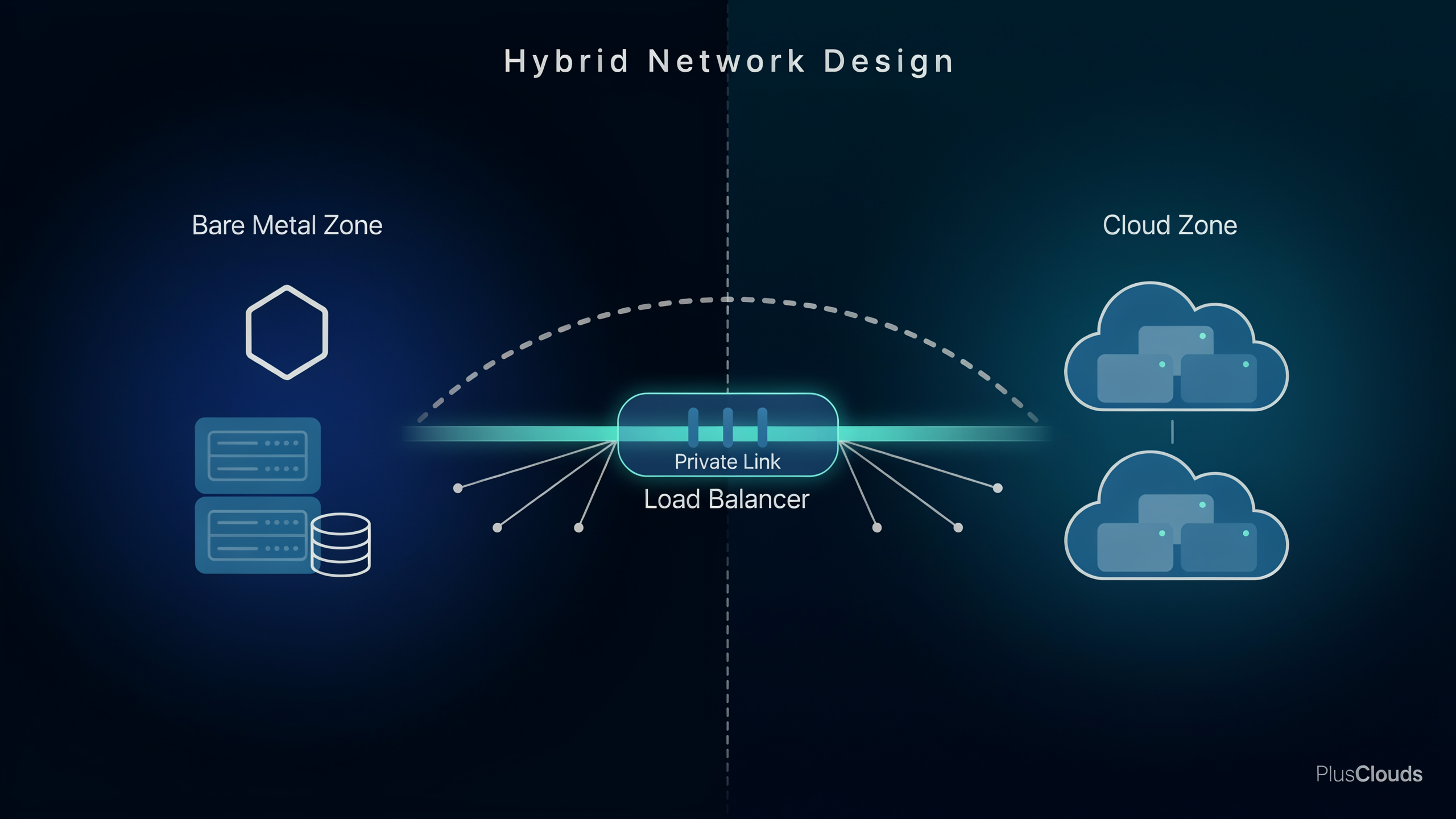
The network is where hybrid architectures succeed or fail. Your bare-metal database and your cloud VMs need to behave like they are on the same LAN, or at least close to it, and that requires deliberate design.
Use private networking, not the public internet. Traffic between your bare-metal nodes and your cloud VMs should traverse a private link: VPN tunnel, dedicated interconnect, or a provider network that spans both environments. This matters for latency, for security, and for your bill, since public-internet paths often carry egress charges.
Segment deliberately. A well-designed hybrid environment separates at least five zones: public-facing traffic, private east-west traffic, VPN access for remote operations, a management plane, and a DMZ for anything that needs to touch both worlds. Platforms like PlusClouds Networking & Load Balancers expose exactly these five network types plus load balancers from a single control plane, which removes most of the manual wiring.
Put the load balancer in front of both sides. Your load balancers should treat bare-metal and cloud nodes as equal members of the same backend pool. That way, scaling out during a burst is just adding cloud VMs to an existing pool, and scaling back is removing them. No DNS changes, no client-side awareness required.
Watch latency budgets. If your cloud VMs make hundreds of queries per request against a bare-metal database, cross-link latency multiplies fast. A practical rule: keep chatty, stateful communication on the same side of the boundary, and let the hybrid link carry coarser-grained traffic.
Cost Modeling: When Steady-State Bare Metal Beats Pay-As-You-Go Cloud
The math here is not subtle, and it is worth doing explicitly for your own workload profile.
Say your baseline load requires the equivalent of 20 vCPUs and 80 GB of RAM running 24/7. On a typical public cloud, an always-on instance of that size runs roughly $400 to $700 per month depending on region and commitment discounts. A dedicated bare-metal server with more raw capacity (say 32 physical cores and 128 GB RAM) commonly lands in the $150 to $400 per month range from specialist providers, with no hypervisor overhead eating into the spec (source). Over a year, the delta on a single steady-state workload is measured in thousands of dollars, and it compounds across every service in your baseline.
The crossover logic looks like this:
| Workload profile | Best fit | Why |
|---|---|---|
| Flat utilization, 24/7 | Bare metal | Flat pricing beats hourly premiums at steady state |
| Utilization under ~30% most of the time | Cloud VMs | Pay only for the hours you actually use |
| Spiky, unpredictable | Cloud VMs | Elasticity is worth the premium |
| Spiky but with a high, stable floor | Hybrid | Metal for the floor, VMs for the spikes |
| GPU/HPC, long-running | Bare metal | Full hardware access, no virtualization tax |
Two cost details people forget: egress fees and idle waste. Egress charges on hyperscalers can quietly become a top-three line item, which is why zero-egress-fee platforms change the calculus. And idle waste is the silent killer: industry surveys routinely find a meaningful share of cloud spend goes to resources that are provisioned but unused. If you are running Kubernetes, our Kubernetes FinOps guide covers how to find and reclaim that waste systematically.
Failover and Redundancy: Keeping SLAs Intact Across Both Environments
Hybrid architecture introduces a failure mode that single-environment setups do not: the link between the two sides can degrade or drop. Design for it from day one.
Make each side independently functional. Your bare-metal tier should keep serving core traffic if the cloud side is unreachable, and your cloud VMs should be able to take over the full load (at reduced headroom) if the metal side has a problem. This means state needs to replicate across the boundary: database replicas, shared object storage, or both.
Use automated backup with explicit targets. Recovery only works if you have defined your RPO and RTO and tested against them. Our automated backup layer handles RPO/RTO tracking and remote restore across environments, and if you operate in financial services, our DORA Article 11 & 12 survival guide covers how to document these controls for supervisory review.
Follow the 3-2-1-1 rule for data. Hybrid or not, your backup architecture should follow the 3-2-1-1 backup rule: three copies, two media, one offsite, one immutable. Hybrid setups make this easier, since your two environments are naturally distinct failure domains.
Keep DDoS protection at the edge, not per-environment. Attackers do not care where your workloads run. Terminate and scrub traffic at the network edge before it reaches either side.
Step-by-Step Migration Plan: Moving Your First Workload to a Hybrid Setup
Do not try to hybridize everything at once. Here is a pragmatic sequence for the first workload:
- Profile your workloads. Pull 30 to 90 days of utilization data. Classify each service as flat, spiky, or ephemeral. You will usually find that 20% of services consume 70% of your steady compute.
- Pick a low-risk, high-value candidate. A stateless API tier with steady traffic or a read replica of your main database is ideal. Save the stateful primary databases for a later phase.
- Provision the bare-metal side. Deploy your metal nodes, either in a provider's Tier 3 data center or as Dell-certified Leo CN servers in your own facility if on-premises deployment is the goal.
- Establish the network link. Bring up the private tunnel, configure the five network zones, and validate latency between the sides before migrating anything.
- Mirror, then cut over. Run the workload on both sides with the load balancer weighting traffic gradually (10%, 50%, 100%). Keep rollback trivial for at least a week.
- Wire in elastic burst capacity. Add cloud VMs to the load balancer pool with an autoscaling policy triggered by CPU, request rate, or queue depth.
- Document and repeat. Write down what worked, what the actual costs were, and which workload is next.
Teams that already went through a cloud repatriation from a hyperscaler to bare metal will recognize this playbook; the hybrid version simply stops halfway and keeps the elastic tier.
Choosing the Right Infrastructure Partner for a Hybrid Strategy
The hard part of hybrid is not the servers. It is everything around them: the network fabric that treats both environments as one, the load balancers, the backup layer, the security posture, and a billing model that does not punish you for the split.
This is where a provider that operates both sides matters. PlusClouds runs dedicated bare metal (the X7000 line for GPU, AI, and HPC work, plus Leo CN for on-premises) alongside Cloud Servers built on AMD EPYC and NVMe with 60-second deployment, a 99.98% uptime SLA, and zero egress fees. Because both live under the same networking and load-balancing control plane, your bare-metal database and your burst-tier VMs are one backend pool, not two projects that integration consultants get paid to reconcile. Security comes standard: stateful firewall and WAF with OWASP Top 10 coverage and always-on DDoS mitigation above 1 Tbps, under ISO 27001, SOC 2, and GDPR compliance.
Conclusion: Put Flat Workloads on Metal, Spikes on Cloud VMs
Hybrid cloud architecture is not a compromise between bare metal and cloud. It is the recognition that different workloads have different economics, and that forcing them all into one model means overpaying somewhere. Put the flat lines on metal, the spikes on elastic VMs, connect them with a network designed for the job, and model the crossover honestly before you commit.
If you are evaluating this split for your own infrastructure, the fastest way to test it is to run a real workload across both sides. Explore PlusClouds bare metal and Cloud Servers, spin up a burst tier in 60 seconds, and see what the combined bill looks like against your current setup. The numbers usually speak for themselves.