Your SDR team closed a deal last quarter because someone called a prospect four minutes after they visited the pricing page. Nobody planned it. The rep just happened to be watching the Slack channel when the alert fired. Now imagine that happening every time, automatically, for every high-intent account, without anyone having to watch anything.
That is what this playbook is about. Not the philosophy of buying signals (we have covered that elsewhere), but the unglamorous plumbing: how to wire your CRM so that the moment a signal fires, the right rep gets the right lead with the right context, and outreach starts without anyone touching a keyboard. The teams that get buying signal automation right are pulling away from everyone else. Roughly 61% of B2B teams now use AI for lead scoring, up from 23% in 2024, and top-quartile teams convert MQL to SQL at more than twice the median rate (Digital Applied, 2026). The gap is not talent. It is automation.
Key takeaways
- Contact rates collapse as response time grows. A five-minute first touch is the practical threshold; automation, not effort, is what gets you there.
- A signal-to-meeting pipeline has five stages: detection, enrichment, scoring, routing, and activation. Most pipeline leaks happen at the seams between them.
- HubSpot workflows and Salesforce AI-scored queues can both route high-intent leads in real time, with SLA timers and manager escalation as the enforcement layer.
- Signal-referenced AI outreach beats generic templates, but only with signal-specific sequences and human review on early sends.
- Measure SAL velocity, MQL-to-SQL conversion rate, and time-to-book as CRM fields, and review them weekly with sales and marketing together.
Table of Contents
- Why Speed-to-Lead Now Determines Win Rate (The 5-Minute Rule in 2026)
- What a Buying Signal Actually Looks Like in Your CRM Data
- Mapping the Automation Flow: From Signal Detection to SDR Notification
- How to Configure HubSpot Workflows to Route High-Intent Leads in Real Time
- How to Build the Same Flows in Salesforce with AI-Scored Queues
- Layering AI Outreach on Top: Personalised Sequences That Trigger Automatically
- Measuring What Matters: SAL Velocity, MQL-to-SQL Rate, and Time-to-Book
- Common Failure Points and How to Avoid Pipeline Leaks
Why Speed-to-Lead Now Determines Win Rate (The 5-Minute Rule in 2026)
The old wisdom was "respond within 24 hours." That deadline died years ago. Buyers research anonymously, shortlist quickly, and often contact two or three vendors in the same afternoon. The first vendor to have a real conversation usually frames the evaluation for everyone else.
The pattern that has emerged across B2B teams is blunt: contact rates collapse as response time grows. A lead contacted within five minutes is dramatically more likely to convert than one contacted an hour later, and the difference between five minutes and five hours is effectively the difference between a pipeline and a graveyard. This is why we call it the 5-minute rule. It is not a marketing slogan; it is the window in which your prospect is still sitting at their desk, still thinking about the problem you solve.
Here is the uncomfortable part: most teams cannot hit five minutes manually. Leads come in overnight, during lunch, on weekends. A rep batching emails at 4 PM is responding to a 9 AM demo request that has already gone cold. The only reliable way to hit the window is CRM lead automation, and the only place that automation can live at scale is your CRM.
What a Buying Signal Actually Looks Like in Your CRM Data
Before you can automate anything, you need to define what "signal" means in your specific funnel. Vague definitions produce vague workflows. The signals worth automating fall into a few buckets:
- First-party behavioral signals: pricing page visits, repeated visits to a product comparison page, documentation depth (someone reading your API docs is a different animal from someone reading your homepage), webinar attendance, multiple stakeholder visits from the same company domain.
- Firmographic fit signals: the account matches your ICP on size, industry, and tech stack. Fit alone is not intent, but fit plus behavior is the combination that predicts revenue.
- Third-party intent signals: review-site activity, topic searches surging across the web, content syndication engagement.
- Lifecycle signals inside the CRM: a contact opens three emails in a week, a dormant opportunity re-engages, a champion changes jobs and lands at a new company.
The practical move is to score these rather than treat them as booleans. A pricing page visit from a 50-person company outside your ICP is noise. The same visit from a 500-person company in your target vertical, on their third session, with two other employees from the same domain browsing your case studies, is a fire alarm.
If you are building this signal layer from scratch, tools like LeadOcean by PlusClouds do the heavy lifting for AI lead enrichment: it searches across 1.8 billion+ company records to surface verified decision-makers, detects buying signals, and pushes scored accounts directly into HubSpot or Salesforce. We covered the upstream side of this in our guide to building a first-party intent stack; this article picks up where that one ends, at the moment the signal enters your CRM.
Mapping the Automation Flow: From Signal Detection to SDR Notification
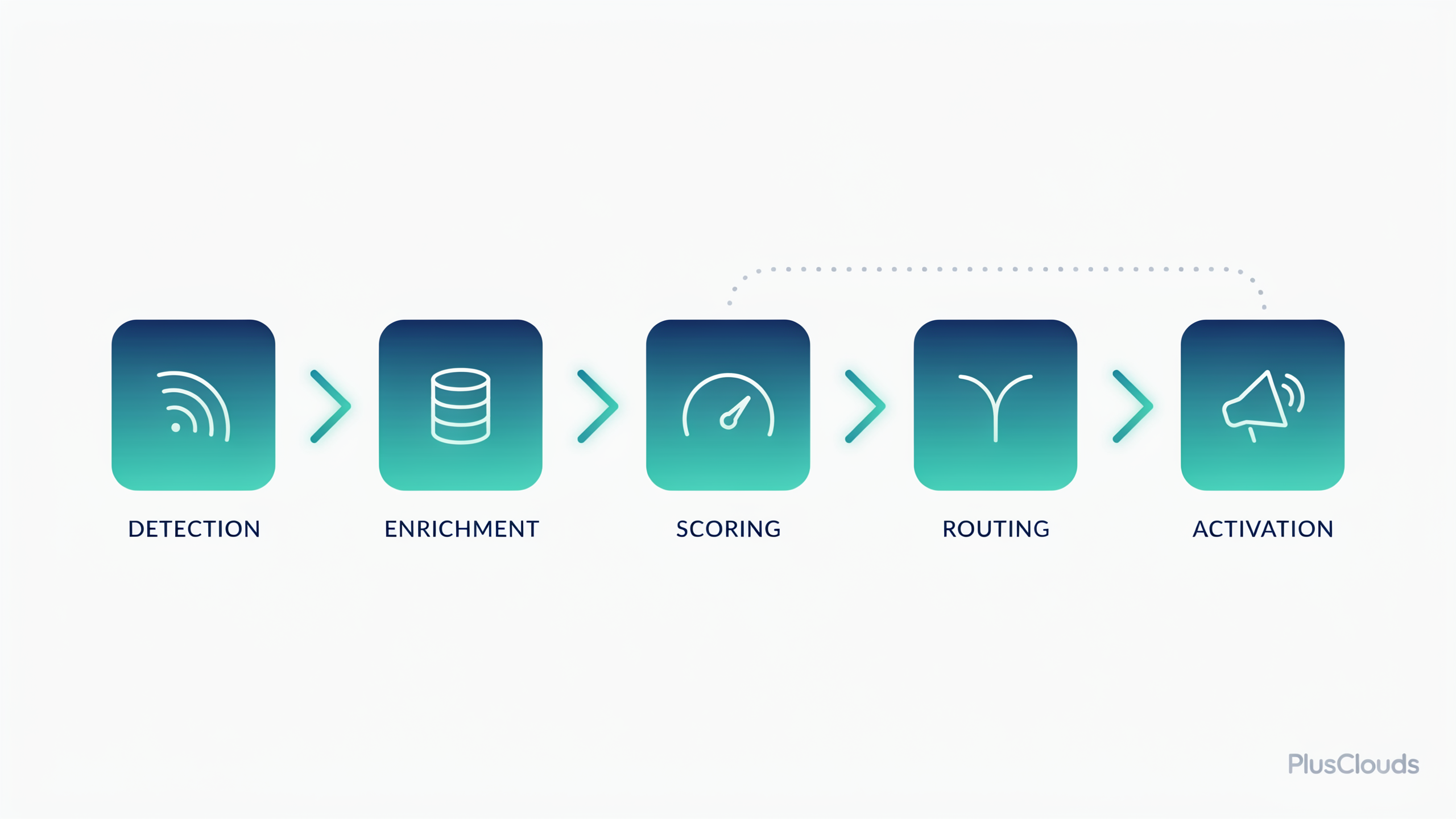
Every signal-to-meeting pipeline, regardless of tooling, has the same five stages:
- Detection. Something happens: a form fill, a web session, a score threshold crossing, an external data change.
- Enrichment. The raw signal gets context. Company size, industry, tech stack, decision-maker identity, and existing CRM history are attached automatically.
- Scoring and qualification. The enriched record is scored against your ICP and intent model. Only records above a threshold proceed; everything else goes to nurture.
- Routing. The qualified record is assigned to the right owner based on territory, segment, or round-robin rules, with SLA timers attached.
- Activation. The owner is notified through the channel they actually watch (Slack, mobile push, email), and outreach sequences fire.
Most sales pipeline automation leaks happen at the seams between stages. Detection works but enrichment is missing, so reps get a bare email address with no context. Scoring works but routing has no SLA, so leads sit in a queue for six hours. The fix is to treat the whole flow as one system and instrument every handoff, which is exactly what we will build in the next two sections.
How to Configure HubSpot Workflows to Route High-Intent Leads in Real Time
HubSpot's workflow engine is genuinely capable of real-time lead routing if you set it up correctly. Here is a configuration that works in production.
Step 1: Create a computed intent score property. Use a calculation property or a custom code action to combine behavioral and firmographic inputs:
// HubSpot custom code action: intent_score
let score = 0;
if (properties.pricing_page_visits >= 2) score += 25;
if (properties.employee_count >= 200 && properties.employee_count <= 5000) score += 20;
if (properties.icp_industry === "true") score += 15;
if (properties.docs_depth_minutes >= 5) score += 15;
if (properties.email_opens_7d >= 3) score += 10;
if (properties.domain_has_existing_opportunity === "false") score += 15;
return { outputFields: { intent_score: score } };
Step 2: Build the routing workflow. Trigger: intent_score >= 70. Actions, in order:
- Enrichment step (via your LeadOcean integration or native enrichment) to attach decision-maker data.
- Branch on territory or segment. Assign owner with a round-robin rota for inbound.
- Set a
signal_received_attimestamp property. This is your SLA anchor. - Send a Slack or Teams notification with the full context: score breakdown, pages visited, company snapshot, suggested opener.
- Enroll the contact in a high-intent sequence immediately (more on this below).
- If no activity within 30 minutes, escalate to the rep's manager. Escalation is what makes SLAs real.
Step 3: Handle the negative path. Leads scoring below threshold should not disappear. Route them to nurture, but set a re-evaluation trigger: any new high-value signal re-enters the routing workflow automatically.
The most common HubSpot mistake is building routing on form submissions only. Your best signals never fill out forms. Wire website behavioral events and product usage data into the same workflow triggers, and your coverage of the dark funnel improves immediately. We went deep on that problem in our dark funnel prospecting piece.
How to Build the Same Flows in Salesforce with AI-Scored Queues
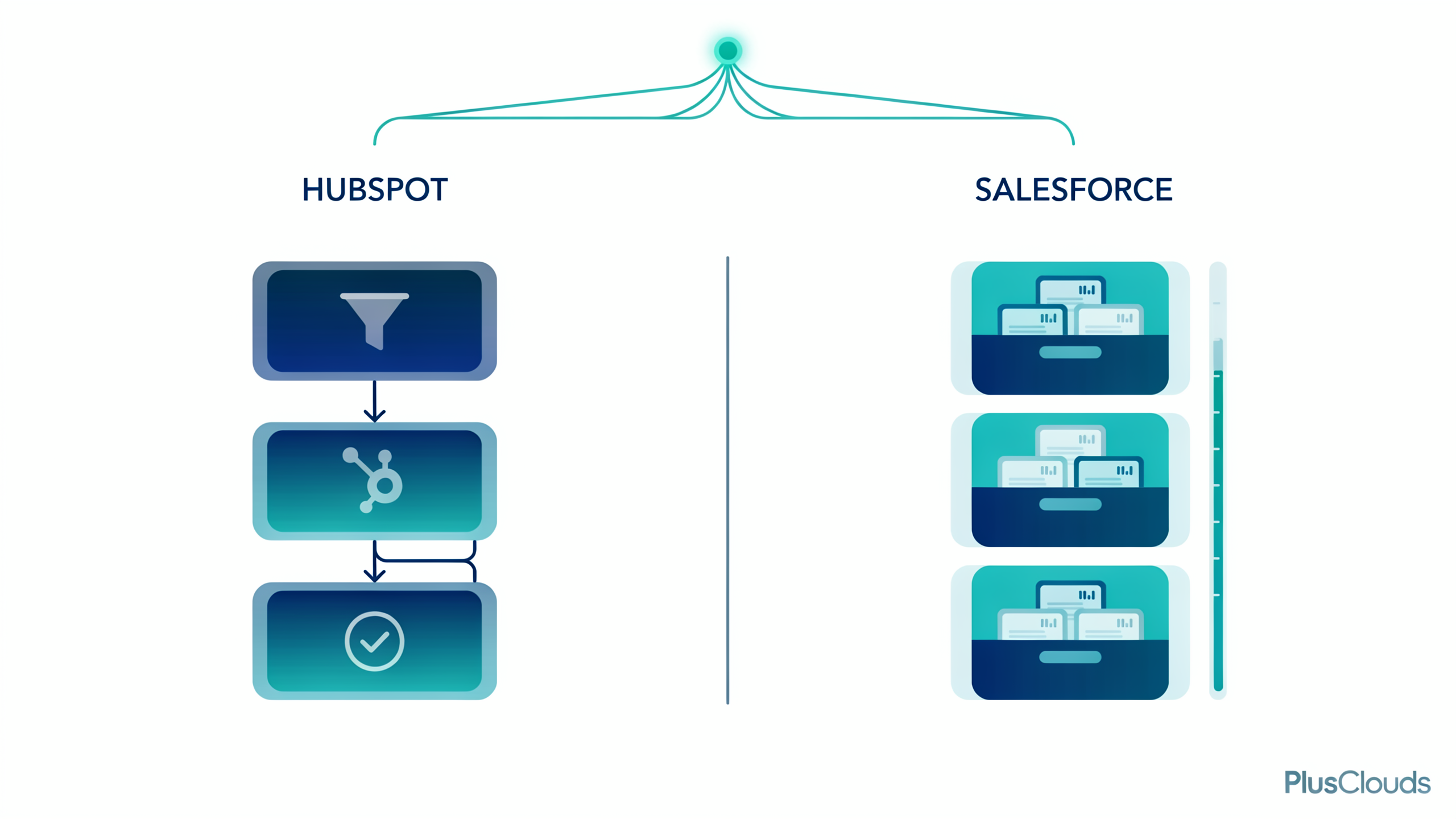
Salesforce gives you more raw power and demands more setup. The core pattern here is an AI-scored queue with assignment rules driven by score thresholds.
Step 1: Score at the record level. Use Salesforce Einstein or an external scoring service writing to a custom field:
// Simplified trigger: recalculate Lead intent score on relevant updates
trigger LeadIntentScore on Lead (before insert, before update) {
    for (Lead l : Trigger.new) {
        Decimal score = 0;
        if (l.Pricing_Page_Visits__c >= 2) score += 25;
        if (l.Employees >= 200 && l.Employees <= 5000) score += 20;
        if (l.Industry_In_ICP__c) score += 15;
        if (l.Email_Opens_7d__c >= 3) score += 10;
        l.Intent_Score__c = score;
    }
}
Step 2: Queue by score band, not by source. Create queues such as Hot_Inbound, Hot_Signal_Only, and Nurture. Assignment rules or a record-triggered flow move leads into queues based on Intent_Score__c. Reps work from queues ordered by score, which naturally enforces the 5-minute rule on the highest-value records first.
Step 3: Attach SLA tracking. Use a record-triggered flow with a scheduled path: if a lead sits in Hot_Inbound for more than 30 minutes without a task being logged, escalate. Log Time_To_First_Touch__c on every lead; this becomes your core speed metric later.
Step 4: Sync the signal layer. Whether your signals come from LeadOcean, your own web tracking, or third-party intent providers, the integration pattern is the same: a middleware or native connector writes enriched records with scores directly into Salesforce, and the queue logic takes over from there. The omnichannel outreach engine guide shows how to wire the downstream sequences once routing is done.
Layering AI Outreach on Top: Personalised Sequences That Trigger Automatically
Routing solves speed. Personalization solves reply rate. You need both, because a fast generic email performs barely better than a slow generic one.
The pattern that works in 2026 is signal-referenced outreach generated automatically at enrollment time. When a lead enters your high-intent sequence, an AI step composes the first touch using the actual signal: "I noticed your team has been comparing X and Y on our site this week" lands very differently from a template with a {first_name} merge tag.
This is precisely where Eaglet fits into the stack. Eaglet handles AI outreach automation: it takes the enriched, scored leads coming out of your routing layer and runs personalized multi-touch sequences across email and LinkedIn, adjusting messaging based on the specific buying signal that triggered enrollment. Used standalone or as a LeadOcean add-on, it closes the loop from detection to booked meeting without a rep touching the first three touches.
Two guardrails keep this from going wrong:
- Human review on the first N sends. Let the AI draft, let a rep approve for the first week, then loosen the leash once quality is proven.
- Signal-specific templates, not one mega-template. A pricing-page visitor gets a different angle than a docs-reader or a champion who switched jobs. Five or six signal-specific sequences beat one universal one every time.
Measuring What Matters: SAL Velocity, MQL-to-SQL Rate, and Time-to-Book
If you do not measure the automation, you are just moving the mess around. Three metrics tell you whether the machine is working:
- SAL velocity: how fast an accepted lead becomes actively worked. Target: first touch inside 5 minutes for high-intent, inside 1 hour for everything else. Track
Time_To_First_Touch__creligiously. - MQL-to-SQL conversion rate: the percentage of marketing-qualified leads that sales accepts and converts to opportunities. Median B2B teams convert at single digits; top quartile operates at more than double that, and the difference is largely scoring quality plus handoff discipline (Digital Applied, 2026).
- Time-to-book: the median time from first touch to a booked meeting. If this is longer than three days for hot leads, your sequences or your calendar-link friction need work.
Instrument all three as CRM fields, not dashboard afterthoughts. Review them weekly with sales and marketing in the same room, because every one of these metrics has two owners.
Common Failure Points and How to Avoid Pipeline Leaks
We have watched enough of these implementations to know where they break:
- Alert fatigue. If every lead pings Slack, reps mute the channel within a week and your 5-minute rule dies silently. Route only high-intent records to real-time channels; batch the rest into a daily digest.
- Scoring drift. Your ICP changes, your scoring model does not. Revisit thresholds and weights quarterly, using closed-won data as ground truth.
- Duplicate chaos. Signal sources and CRM entries collide, creating duplicate records that split activity history. Enforce deduplication rules at the integration layer before anything enters a queue.
- No feedback loop. Reps marking leads "bad" without a reason code means your scoring never improves. Require a disqualification reason; feed it back into the model.
- Automation without ownership. Someone must own the routing logic, the SLAs, and the escalation paths. In practice that is a RevOps person with real authority, not a committee.
The teams winning at B2B sales automation in 2026 are not the ones with the most tools. They are the ones where a signal fires, a scored and enriched lead lands with the right rep in under a minute, and a personalized sequence is already running before the competitor's SDR has even opened the CRM. AI-assisted prospecting and tighter handoffs are exactly what separates top-quartile pipelines from the median (Leadinfo, 2026; Improvado).
If you want to see this flow running end to end, start with the signal layer: LeadOcean finds the accounts showing intent and pushes verified decision-makers straight into your HubSpot or Salesforce instance, and Eaglet picks them up from there with automated, personalized outreach. Explore how LeadOcean and Eaglet can plug into your existing CRM, and turn your next buying signal into a booked meeting before anyone else even knows it happened.